CyberMysz.pl — CyberMysz prototype — a digital employee twin
Digital employee twin

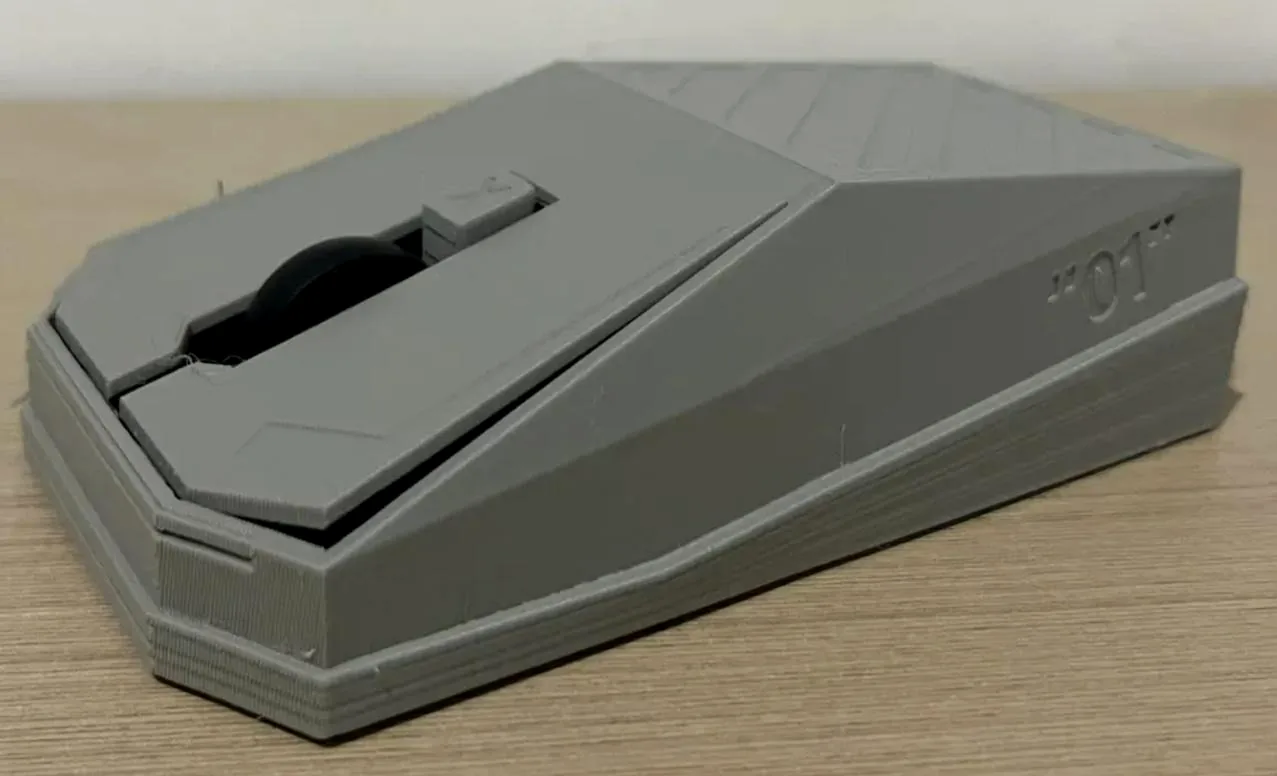
CyberMysz performs tasks normally assigned to office employees.

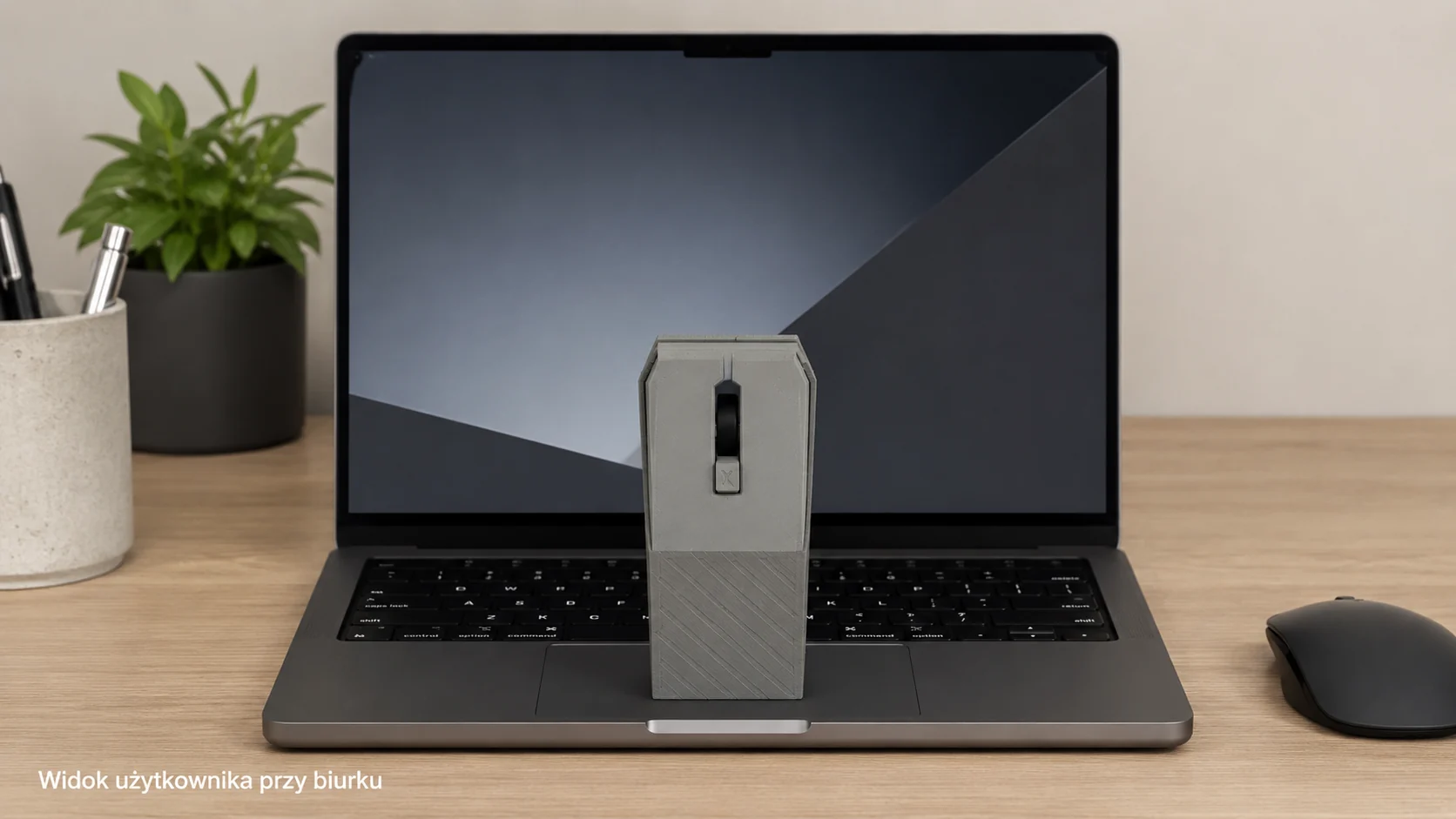
Connect CyberMysz, place it in front of the screen and assign repetitive tasks: clicking, typing data, checking statuses and reporting the result.

no PC installation works over USB observation camera ifURI scenarios logs and status
CyberMysz — cyfrowy bliźniak pracownika
Ready to work with ifURIsees screen → performs task → saves result
scenariusz: faktura → ERP
0installations on the employee computer
USBkeyboard and mouse control
LANlocal execution control
Auditstatus, time, source and action result
Problem

Not every system can be automated through an API.

In many companies, employees repeat the same steps every day in ERP systems, web panels, remote desktops, terminals and old applications. CyberMysz takes over such tasks without rebuilding the system.

01

Human-dependent process

An employee sees the screen, copies data, clicks and checks messages. CyberMysz can reproduce this way of working.

02

No system rebuild needed

CyberMysz works next to the computer and uses the screen, keyboard and mouse instead of requiring an API integration.

03

Employee time loss

Copying data, retyping, checking statuses, clicking the same windows and generating reports can be done by a digital twin.

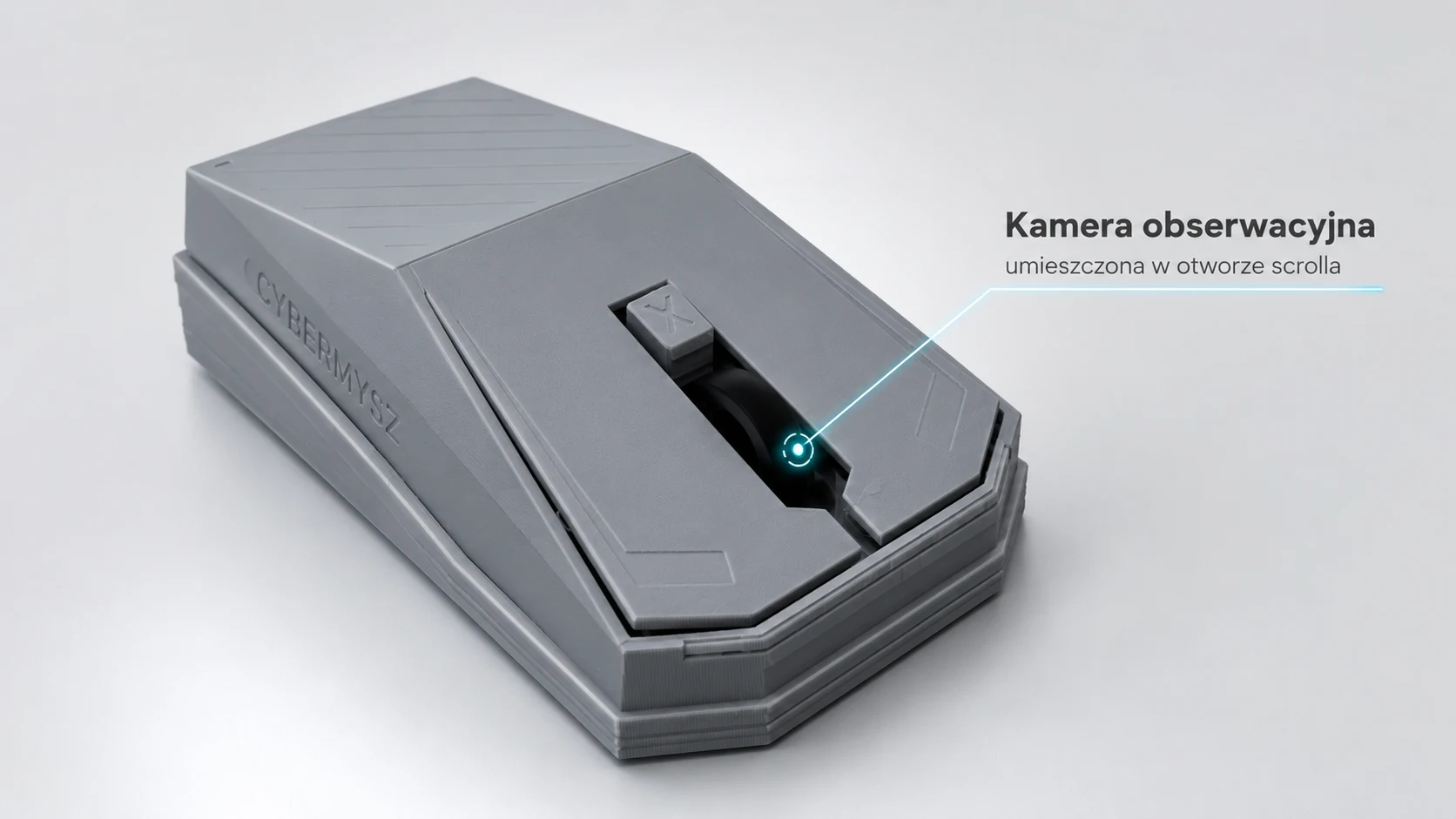
Observation camera in the scroll opening
How it works

CyberMysz works like a digital employee twin.

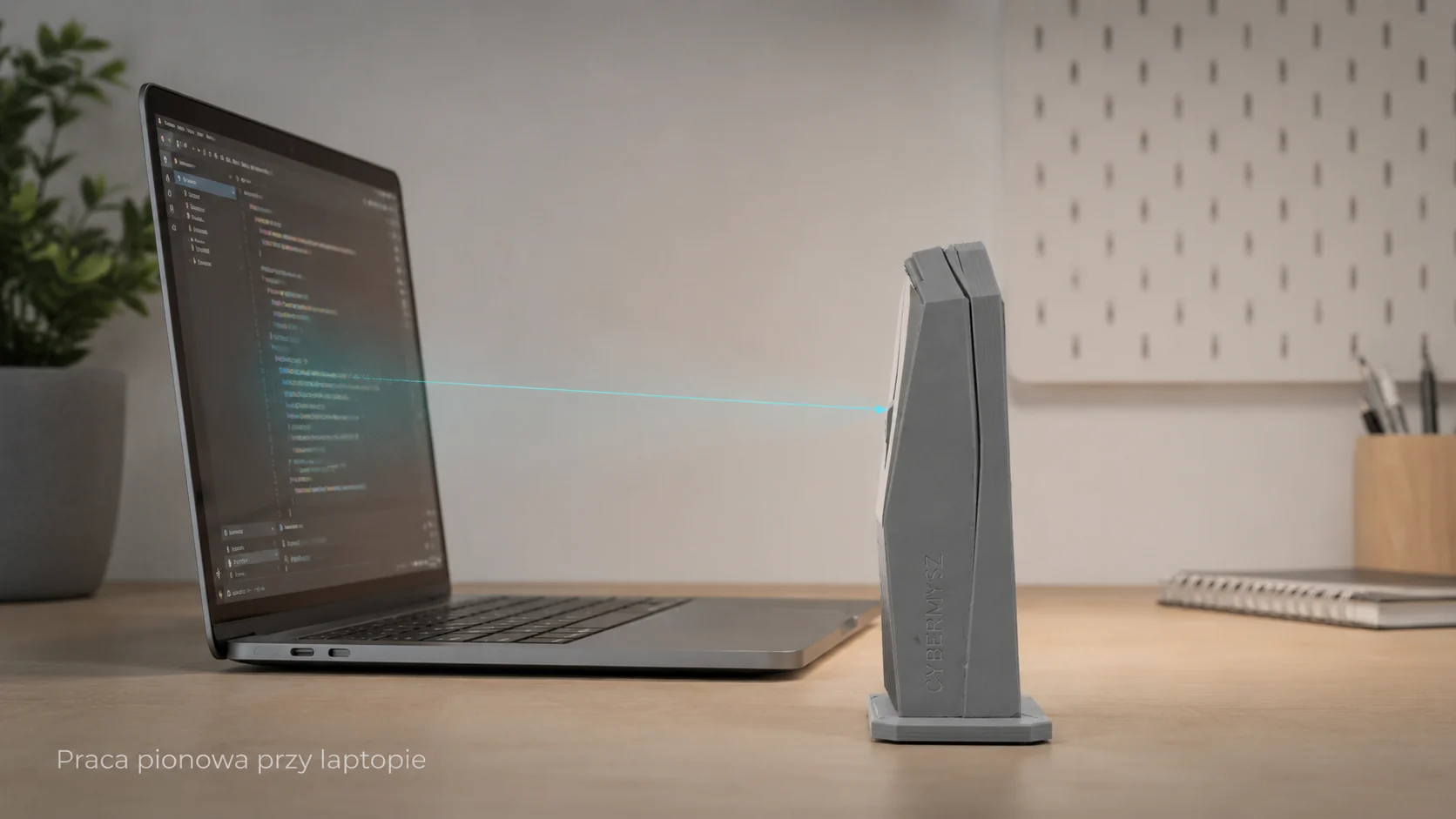
CyberMysz observes the screen, recognizes what needs to be done, then clicks and enters data like an employee sitting at the desk. ifURI records the execution and result.

#1

See

The camera observes the screen or a selected workstation area.

#2

Understand

A scenario verifies text, layout, color, icon or application state.

#3

Act

CyberMysz moves the cursor, clicks, uses shortcuts and types text.

#4

Report

ifURI records what was done, when, with what result and whether confirmation was required.

ifURI scenarios

CyberMysz is a digital helper for repetitive office work.

In ifURI you describe the task step by step: what to open, what to check, where to click and what data to enter. CyberMysz performs those steps at the workstation and the result goes into the execution history.

H

ifURI Host

The operator builds flows, approves actions, selects the process and sees the execution log.

ifURI Host
zadanie: przepisz fakturę do ERP
1. otwórz system
2. sprawdź ekran
3. zatwierdź wykonanie
N

CyberMysz

Screen observation, clicking, typing data and safely performing tasks according to a scenario.

CyberMysz
CyberMysz:
- obserwuje ekran
- klika w pola
- wpisuje dane
- zapisuje wynik
PC

Workstation

The computer sees a standard keyboard and mouse. The process runs in the existing application.

Workstation
Stanowisko pracy:
1. bez zmian w systemie
2. bez nowej integracji API
3. proces działa w obecnej aplikacji
Use cases

Where classic RPA or API integration does not pass.

ERP / accounting

Entering documents, checking statuses and exporting reports.

Legacy / terminal

Operating old applications without rebuilding the system and without installing extra software on the computer.

Web panels

Recurring actions in client panels, marketplaces, orders and back-office.

Quality control

Screen comparison, message confirmation and execution proof.

Logistics and freight

Rewriting orders, confirming statuses and downloading documents.

Administration

Routine clicks in public and company systems under operator supervision.

Security

Physical control, governed by rules.

The device does not need to interfere with the operating system. The key elements are approved scenarios, logs, operator control and the ability to stop execution.

S1

No computer installation

CyberMysz works like an external keyboard and mouse connected over USB.

S2

Camera observes the screen

In vertical mode CyberMysz stands in front of the laptop and looks at the monitor.

S3

Log and status

ifURI stores route, time, payload, result and history.

S4

Operator STOP

A scenario may require confirmation or be stopped.

Offer

One device. One price. BASIC included.

We sell CyberMysz for PLN 555 gross. It is a physical digital employee twin for repetitive office tasks. BASIC CyberMysz Cloud is included with every purchased device for 24 months. The BASIC price of PLN 10/month applies only to the software version or after the included period ends.

Order product

CyberMysz

A digital employee twin: it sees the screen, clicks, types data and performs repetitive office tasks according to ifURI scenarios.

✓ BASIC CyberMysz Cloud is included with every purchased device for 24 months.

PLN 555.00 Gross price Net price: PLN 451.22 · VAT 23%: PLN 103.78
Order CyberMysz
CyberMysz Cloud plans An action is one approved execution step by CyberMysz, for example a click, typing text, checking the screen or running part of a scenario. Monthly volumes do not roll over.
CyberMysz Cloud plans
included with device

BASIC CyberMysz Cloud

24 months, 1,000 actions/month. Monthly action volume expires each month.

PLN 0 with device / PLN 10 mo. for software Order CyberMysz
CyberMysz Cloud plans

PRO CyberMysz Cloud

12 months, 10,000 actions/month, first month PLN 0. Monthly volume expires each month.

PLN 100 / month Order CyberMysz
CyberMysz Cloud plans

PrePaid 10,000 actions

Additional volume for BASIC or PRO. The package expires after 12 months.

PLN 100 / package Order CyberMysz
Software versionThe software version captures the screen as an application. It is the option without physical CyberMysz and requires an active BASIC plan from PLN 10/month.
Contact

Describe the process to automate.

Send a short description. We will respond with an audit or pilot proposal, or tell you if a classic API is better.

Contact form

Order

Order CyberMysz

Choose a variant, enter details and send the order. Payment is not charged automatically — you will receive the order number, status link and payment instructions.

Summary PLN 555.00 after confirmation
Variant
CyberMysz
Plan
BASIC included
PrePaid
none
Payment
instructions after order

1Variant

2Contact and invoice

Buying as

3Delivery

4Plan

BASIC is included with the device. Software requires BASIC PLN 10/mo. PrePaid can be added now or later.

5Confirmation

Payment is not charged automatically. You may leave BLIK empty — payment instructions will be sent after the order.

After sending, you will receive an order number, status link and payment instructions.